Snuggles the Unicorn

Snuggles the Unicorn was a Unity action game in development at Left Turn Studios. I was lead Technical Artist with a second TA joining partway through for lighting and PCG level layout. The project was eventually shelved, but it produced significant technical work across rendering, shaders, rigging, animation, and tooling.
Rendering System Refactor
The project was inherited with Unity's standard renderer and needed a full conversion to the Universal Render Pipeline. This wasn't a settings change: it required recreating every shader from scratch under the new rendering model, scripting a batch conversion of all materials, and rebuilding the lighting and post-processing setup. Outsourced assets brought in from the Unity store also needed cleanup and modification to work within the new pipeline and match the project's visual direction.
Wing Vertex Shader System
Each enemy type had wings, and the original rigged solution used 32 bones per enemy to animate the flap. At low enemy counts this was fine. As the design expanded to include larger waves, the rig cost became a real performance problem. The bones also produced synchronized flapping: every enemy in a group moved identically, which looked mechanical even at small counts.

The replacement was a vertex shader that drives the wing flap entirely in the GPU without bone evaluation. The flap motion is a sine wave applied to wing vertices, with parameters for frequency, amplitude, and phase. The key piece was using Unity's Material Property Blocks to set a randomized phase offset per enemy instance at spawn time. This meant every enemy in a wave had its wings moving out of sync with every other enemy: the same shader, zero additional draw calls, genuinely independent motion.

The result: bone evaluation cost for wings dropped to zero, enemy counts could scale without performance regression, and the motion looked more natural than the rigged version had at any count.
Puppet Rig Retargeting System
Mid-production, the player character model was redesigned. The new model had different proportions and a different skeleton hierarchy than the original. The existing animation library, representing a significant time investment, was built for the old model. Recreating those animations from scratch wasn't an option on the schedule.
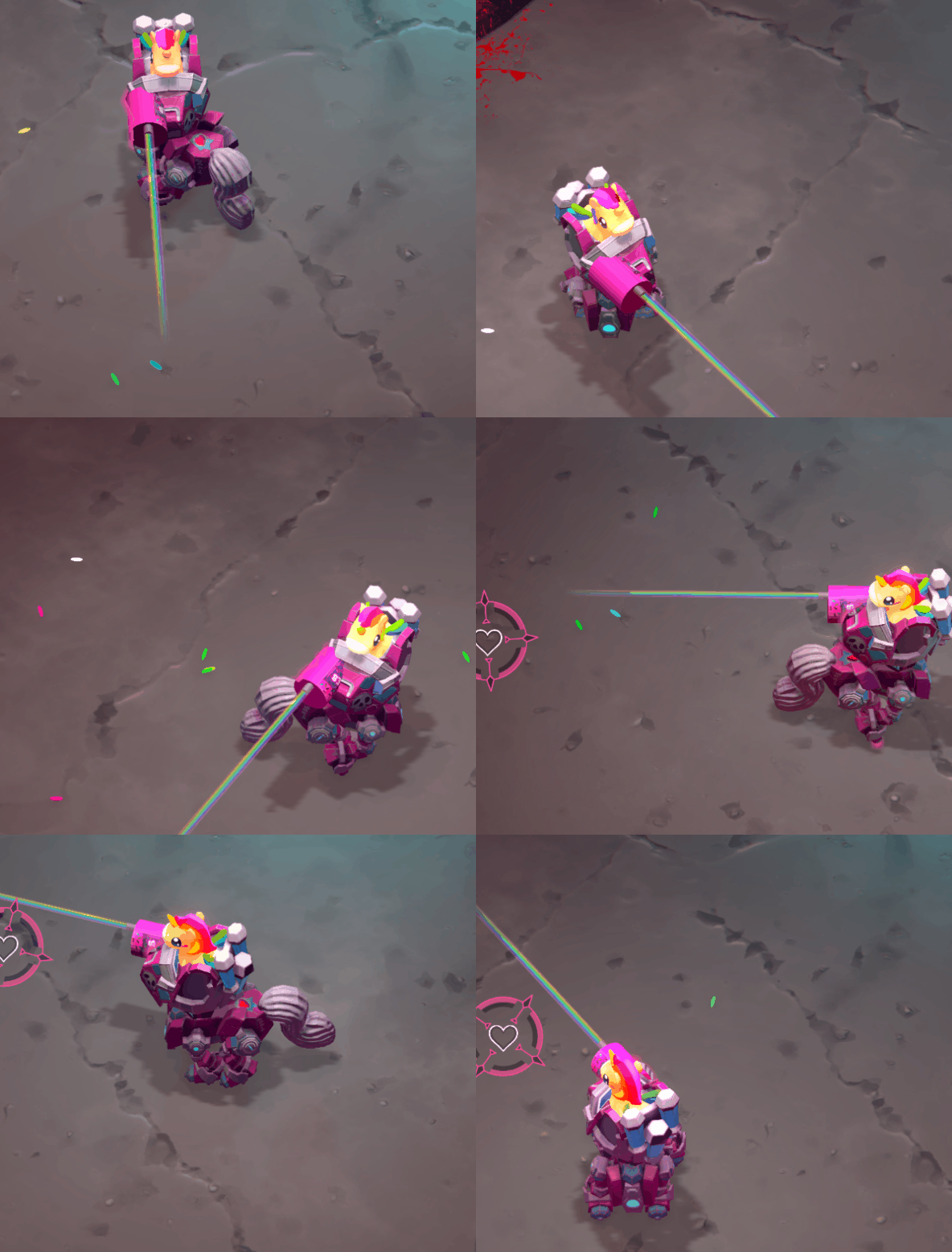
The mech itself was a kitbash: an existing biped model was converted into a quadruped to match concept art, with the leg animations retargeted to produce a gallop. Aim constraints drive the cockpit to track with player input, with bob dampening to keep it from feeling rigid. The controller aim script was also written as part of this work.
The solution for the player character redesign was a constraint-based retargeting system: the new model's bones are driven by constraints that read the old model's animation data in real time. The old skeleton runs the animation; the new skeleton follows via constraints, with per-bone offsets to account for proportion differences. The full existing animation library worked on the new model immediately, with targeted manual adjustments only where the proportion differences produced visible artifacts.
The more important part was what happened next. Every time the new model was updated (which happened multiple times during production), the constraint connections broke and had to be rebuilt. I scripted the constraint reconnection so it could be run as an editor utility, rebuilding the full rig from a saved configuration in a few seconds rather than manually reconnecting each bone. The script meant the rig survived model updates without requiring tech art involvement every time.

Character Status FX Shader
Enemy characters needed visual feedback for multiple gameplay states: burning, impact flash, frozen, and others. Rather than separate materials per state, I built a single custom overlay shader that handles all status effects, with each effect toggled by a bool passed from gameplay script via a helper component that translates gameplay state into shader parameters. Multiple effects can be active simultaneously. The system was designed so adding a new status required only a new bool and a new shader feature, with no changes to the spawning or state management code.
Other VFX
The project also included a range of gameplay VFX: fuel refill timers driven by gameplay script via shader parameters, enemy spawn effects, collectible pickups, and character celebration states.


In-Game Cinematic
The project included an in-engine cinematic sequence animated in Unity's timeline sequencer, with the bunny character's movements animated in Maya and brought in. The sequence tied together VFX, sound, animation, camera, and gameplay state cues.